mirror of
https://github.com/ynput/ayon-core.git
synced 2026-01-02 00:44:52 +01:00
| .. | ||
| otio | ||
| utility_scripts | ||
| __init__.py | ||
| action.py | ||
| lib.py | ||
| menu.py | ||
| menu_style.qss | ||
| pipeline.py | ||
| plugin.py | ||
| preload_console.py | ||
| README.markdown | ||
| RESOLVE_API_README.txt | ||
| todo-rendering.py | ||
| utils.py | ||
| workio.py | ||

Basic setup
- Install latest DaVinci Resolve
- add absolute path to ffmpeg into pype settings
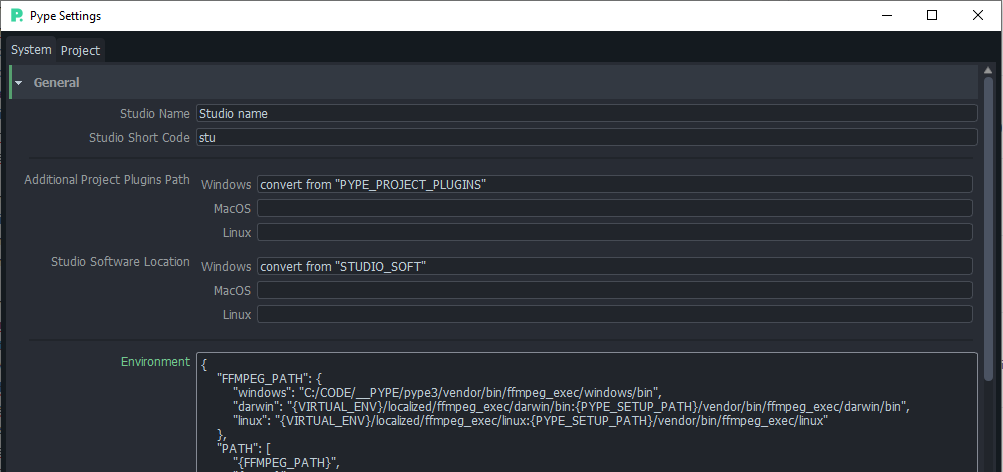
- install Python 3.6 into
%LOCALAPPDATA%/Programs/Python/Python36(only respected path by Resolve) - install OpenTimelineIO for 3.6
%LOCALAPPDATA%\Programs\Python\Python36\python.exe -m pip install git+https://github.com/PixarAnimationStudios/OpenTimelineIO.git@5aa24fbe89d615448876948fe4b4900455c9a3e8and move builded files from%LOCALAPPDATA%/Programs/Python/Python36/Lib/site-packages/opentimelineio/cxx-libs/bin and libto%LOCALAPPDATA%/Programs/Python/Python36/Lib/site-packages/opentimelineio/. I was building it on Win10 machine with Visual Studio Community 2019 and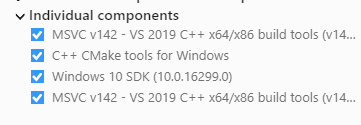 with installed CMake in PATH.
 - install PySide2 for 3.6
%LOCALAPPDATA%\Programs\Python\Python36\python.exe -m pip install PySide2 - make sure Resovle Fusion (Fusion Tab/menu/Fusion/Fusion Setings) is set to Python 3.6
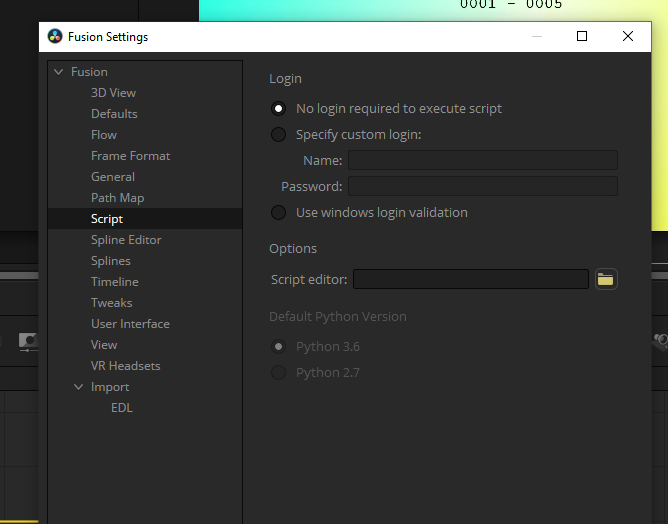
Editorial setup
This is how it looks on my testing project timeline
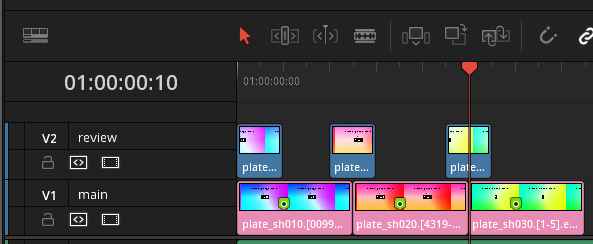 Notice I had renamed tracks to
 main (holding metadata markers) and review used for generating review data with ffmpeg confersion to jpg sequence.
- you need to start Pype menu from Resolve/EditTab/Menu/Workspace/Scripts/PYPE_MENU
- then select any clips in
maintrack and change their color toChocolate - in Pype Menu select
Create - in Creator select
Create Publishable Clip [New](temporary name) - set
Rename clipsto True, Master Track tomainand Use review track toreviewas in picture
- after you hit
okall clips are colored topingand marked with pype metadata tag - git
Publishon pype menu and see that all had been collected correctly. That is the last step for now as rest is Work in progress. Next steps will follow.